A Beginner's Guide to 12 Volt Barrel Connectors

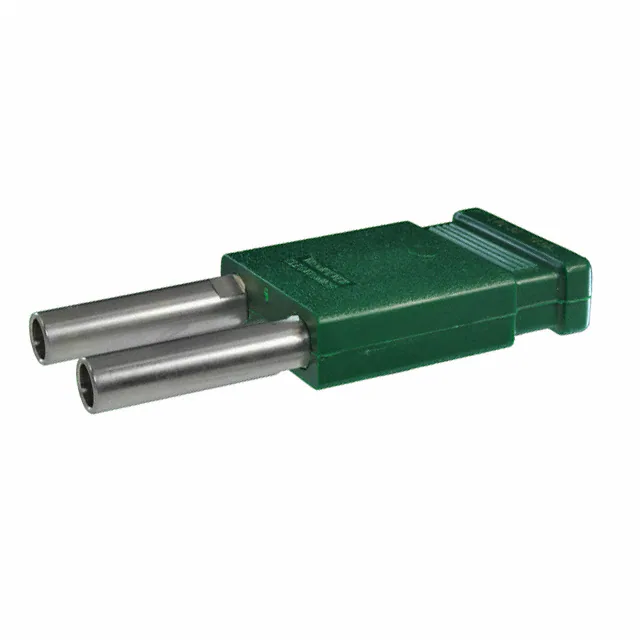
A 12-volt barrel connector is an essential component for powering low-voltage devices efficiently. These 12 volt DC connectors are commonly used in applications such as LED lights and CCTV cameras, where reliable power delivery is critical. Understanding barrel plug wiring is key to ensuring safe and proper connections. Additionally, being aware of power plug polarity is crucial, as reversing it can lead to equipment damage. With the right understanding of barrel connectors, you can confidently work with a 12v DC connector plug and avoid common mistakes.
Key Takeaways
Understand the structure of 12-volt barrel connectors: The outer sleeve is negative, and the center pin is positive. Always verify this to avoid damaging your devices.
Gather the right tools before starting: Essential items include a soldering iron, wire strippers, multimeter, and heat shrink tubing to ensure safe and effective wiring.
Follow a step-by-step wiring guide: Properly prepare wires, check polarity, solder connections securely, and insulate them to prevent short circuits.
Always check power plug polarity: Reversing polarity can cause serious damage. Use a multimeter to confirm the correct connections before powering up your device.
Test your connections: After wiring, use a multimeter to verify voltage and polarity, ensuring everything is functioning correctly before use.
Avoid common mistakes: Be mindful of reversing polarity, using the wrong tools, skipping insulation, and overloading connectors to ensure safe operations.
Practice makes perfect: Regularly practicing these steps will build your confidence and skills in working with 12-volt barrel connectors.
Understanding 12 Volt DC Connectors
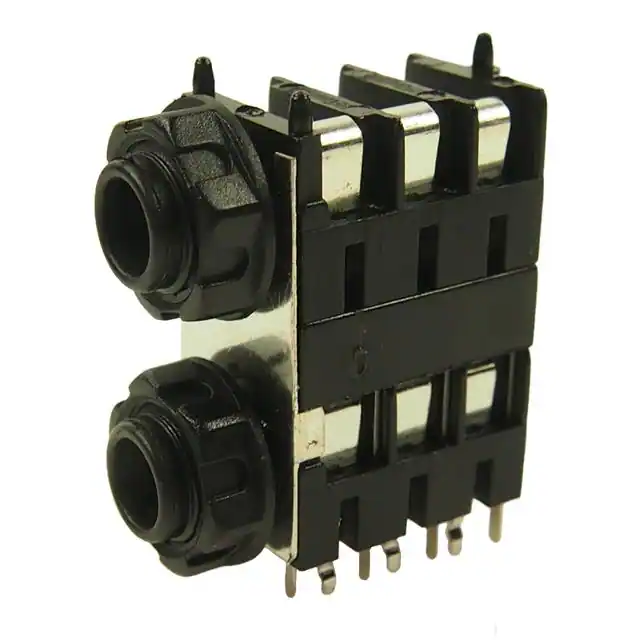
What are 12-volt barrel connectors?
A 12-volt barrel connector is a cylindrical device designed to deliver direct current (DC) power to electronic devices. You’ll often see these connectors in setups where low-voltage power is required. The design includes a male plug with a center pin and a female jack with a matching hole, ensuring a snug and secure fit. The most common size for these connectors is 5.5mm outer diameter and 2.1mm inner diameter, often referred to as Type A. Some variations even feature a screw-lock mechanism for added stability.
The structure of a barrel connector is simple yet effective. The outer sleeve acts as the negative terminal, while the center pin serves as the positive terminal. This polarity arrangement ensures that power flows correctly to your device. However, always double-check the specifications of your equipment, as incorrect polarity can cause damage.
Common applications of 12-volt DC connectors
You’ll find 12-volt DC connectors in a wide range of everyday devices. They are commonly used in powering LED strip lights, CCTV cameras, and even routers. These connectors are also essential for laptops, switches, and other electronics that rely on a stable DC power supply. Their versatility makes them a go-to choice for many low-voltage applications.
For example, if you’re setting up a home security system, you’ll likely use barrel connectors to power your cameras. Similarly, LED lighting systems often depend on these connectors for consistent and reliable power delivery. Their ability to handle varying current ratings, from 500mA to 16A, makes them suitable for diverse needs.
Types of barrel electrical connectors and their components
Barrel connectors come in various types, each tailored to specific applications. The two primary categories are male and female connectors. The male connector features a protruding center pin, while the female connector has a recessed hole to accommodate the pin. Together, they create a secure and reliable connection.
Some barrel connectors include additional features like built-in polarity protection. This feature prevents damage caused by incorrect connections, offering an extra layer of safety. You’ll also find adapters that allow compatibility between different sizes and orientations, making it easier to integrate these connectors into your setup.
When selecting a barrel connector, consider the voltage and current requirements of your device. This ensures that the connector can handle the power demands without overheating or failing. Understanding the components and types of barrel connectors will help you make informed decisions for your projects.
Basics of Barrel Plug Wiring
Wiring a barrel plug might seem intimidating at first, but with the right tools and a clear understanding, you can handle it like a pro. This section will guide you through the essentials, ensuring your connections are safe and reliable.
Tools and materials needed for barrel plug wiring
Before you start, gather everything you’ll need. Having the right tools and materials makes the process smoother and reduces the chances of errors. Here’s a quick checklist:
Soldering iron and solder: Essential for creating secure and lasting connections.
Wire strippers: To remove insulation from the wires without damaging them.
Multimeter: Useful for checking continuity and verifying power plug polarity.
Heat shrink tubing or electrical tape: For insulating the connections and preventing short circuits.
12v dc connector plug: The specific barrel plug you’ll be wiring.
DC power supply: To test the connection once completed.
Screwdriver: If your barrel-style plugs have screws for securing wires.
Having these items ready ensures you won’t have to pause mid-task to find something. It also helps you work more efficiently.
Step-by-step guide to wiring a 12v DC connector plug
Wiring a 12v dc connector plug involves a few straightforward steps. Follow this guide to ensure a proper connection:
Prepare the wires: Use wire strippers to remove about half an inch of insulation from the ends of your wires. This exposes the copper strands for connection.
Identify polarity: Check the power plug polarity of your wires. Typically, the positive wire is red, and the negative wire is black. Use a multimeter if you’re unsure.
Attach the wires to the connector: For barrel connectors, the center pin is usually positive, and the outer sleeve is negative. Insert the positive wire into the center pin terminal and the negative wire into the outer sleeve terminal.
Solder the connections: Heat the soldering iron and apply solder to secure the wires to the terminals. Ensure the solder flows smoothly for a strong bond.
Insulate the connections: Slide heat shrink tubing over the soldered areas and use a heat source to shrink it. Alternatively, wrap the connections with electrical tape.
Test the connection: Connect the barrel plug to a DC power supply and use a multimeter to verify the voltage and polarity. This step ensures everything is wired correctly.
Pro Tip: When soldering, avoid overheating the connector. Excessive heat can damage the plastic components of the barrel plug.
Common mistakes to avoid during barrel plug wiring
Even with a clear guide, mistakes can happen. Being aware of common pitfalls helps you steer clear of them:
Reversing polarity: Connecting the positive wire to the outer sleeve and the negative wire to the center pin can damage your device. Always double-check the polarity before soldering.
Using the wrong tools: Attempting to strip wires with scissors or a knife can lead to uneven cuts or damaged wires. Invest in proper wire strippers.
Skipping insulation: Leaving soldered connections exposed increases the risk of short circuits. Always insulate your connections with heat shrink tubing or electrical tape.
Overloading the connector: Ensure the barrel plug matches the voltage and current requirements of your device. Using an incompatible connector can cause overheating or failure.
By avoiding these mistakes, you’ll ensure your barrel plug wiring is both safe and effective.
Power Plug Polarity and Its Importance
What is power plug polarity in DC systems?
Power plug polarity refers to the direction of electrical flow in a direct current (DC) system. In simpler terms, it determines which part of the connector carries the positive charge and which part carries the negative charge. Most barrel connectors follow a standard design where the center pin is positive, and the outer sleeve is negative. However, this isn’t always the case, so you should always check the polarity before connecting your device.
Polarity plays a critical role in ensuring your devices function properly. DC-powered devices rely on a specific flow of electricity. Reversing this flow can cause malfunctions or even permanent damage. Understanding polarity helps you avoid costly mistakes and keeps your equipment safe.
How to identify positive and negative terminals in a 12v wire connector plug
Identifying the positive and negative terminals in a 12v wire connector plug is straightforward if you know what to look for. Start by examining the wires. Typically, the positive wire is red, and the negative wire is black. If the wires aren’t color-coded, use a multimeter to check the polarity. Set the multimeter to measure DC voltage, then connect the probes to the wires. A positive reading indicates the correct polarity, while a negative reading means the connections are reversed.
When working with a 12v dc connector plug, remember that the center pin usually serves as the positive terminal, and the outer sleeve acts as the negative terminal. Double-check the specifications of your device and connector to confirm this arrangement. Taking the time to verify polarity ensures a safe and reliable connection.
Pro Tip: Always check the polarity of your power supply before connecting it to your device. This simple step can save you from potential damage.
Consequences of incorrect polarity and how to prevent damage
Connecting a device with incorrect polarity can lead to serious consequences. At best, the device won’t work. At worst, it could suffer irreversible damage. For instance, reversing the polarity in a 12 volt dc connector could fry internal components or cause overheating. Some devices include built-in polarity protection, but many do not, making it essential to get it right.
To prevent damage, follow these steps:
Check the polarity: Use a multimeter to verify the positive and negative terminals of your power supply and connector. This ensures compatibility with your device.
Label your wires: Mark the positive and negative wires clearly. This reduces the risk of confusion during barrel plug wiring.
Use polarity-protected connectors: Some barrel connectors come with built-in safeguards. These connectors block incorrect connections, offering an extra layer of safety.
Test before powering up: After wiring your 12v dc connector plug, test the connection with a multimeter. Confirm the voltage and polarity match your device’s requirements.
By taking these precautions, you can avoid the risks associated with incorrect polarity. A little extra effort upfront can save you time, money, and frustration in the long run.
Connecting and Testing a 12v DC Connector Plug
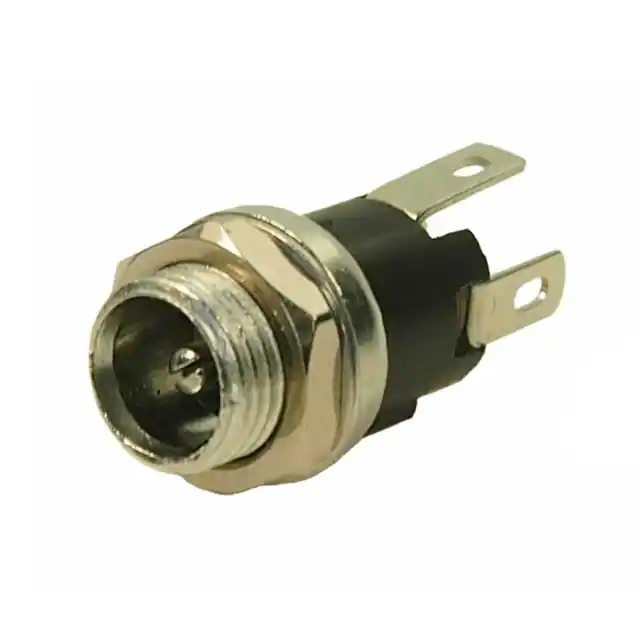
How to safely connect a 12-volt barrel power plug
Connecting a 12-volt barrel power plug might seem tricky, but it’s straightforward when you follow the right steps. Start by ensuring your power supply matches the voltage and current requirements of your device. Using an incompatible supply can lead to overheating or damage. Always double-check the specifications before proceeding.
To connect the plug safely:
Inspect the connector: Look for any visible damage or loose components. A damaged connector can cause unreliable connections or even short circuits.
Check the polarity: Use a multimeter to verify the positive and negative terminals of your dc power supply. The center pin of the barrel plug is usually positive, while the outer sleeve is negative. Confirm this arrangement matches your device’s requirements.
Align the plug and jack: Insert the barrel plug into the device’s jack carefully. Ensure it fits snugly without forcing it. A loose connection can result in intermittent power delivery.
Secure the connection: If your plug has a screw-lock mechanism, tighten it gently to prevent accidental disconnection.
Pro Tip: Always connect the plug to the device before turning on the power supply. This minimizes the risk of electrical arcing, which can damage the connector or device.
Testing the connection for proper functionality
Testing ensures your connection works as intended and prevents potential issues. Follow these steps to test your setup:
Turn on the power supply: After connecting the plug, switch on the power supply. Observe the device to see if it powers up correctly.
Use a multimeter: Set your multimeter to measure DC voltage. Place the red probe on the center pin of the barrel plug and the black probe on the outer sleeve. A positive reading confirms the correct polarity. If the reading is negative, switch the probes’ positions and recheck.
Monitor the device: Check if the device operates as expected. Look for signs of malfunction, such as flickering lights or unusual noises.
Testing is a crucial step. It ensures your 12v dc connector plug delivers power efficiently and safely. Skipping this step can lead to undetected issues that may harm your device.
Troubleshooting common issues with 12-volt barrel connectors
Even with careful setup, problems can arise. Here are some common issues and how to address them:
Loose connections: If the plug doesn’t fit securely, inspect both the plug and jack for wear or damage. Replace any faulty components.
Incorrect polarity: Reversed polarity can prevent the device from working or cause damage. Always check the polarity with a multimeter before connecting the plug.
No power delivery: If the device doesn’t power on, test the power supply with a multimeter. Ensure it provides the correct voltage and current.
Overheating: Overheating often indicates a mismatch between the power supply and the device. Verify the specifications and replace the supply if necessary.
Quick Tip: If you suspect a short circuit, disconnect the power supply immediately. Inspect the wiring and connections for exposed wires or soldering errors.
By following these steps, you can troubleshoot and resolve most issues with 12 volt dc connectors. Proper testing and attention to detail ensure your devices operate safely and reliably.
Understanding barrel plug wiring, 12 volt DC connectors, and power plug polarity is essential for creating safe and reliable connections. By mastering these basics, you can confidently handle tasks like wiring a 12v DC connector plug or troubleshooting power supply unit connectors. Always double-check the polarity before connecting your devices. Use proper tools like a multimeter and wire strippers to ensure accuracy. Practice these steps regularly to build your skills. Safe connections not only protect your devices but also give you peace of mind when working with electronics.
See Also
A Comprehensive Guide to Selecting Battery Cable Ends
Helpful Tips for Choosing Binding Posts in Projects
Finding the Right Battery Terminal Connector for You